Inspired by clinical genetic memory sequence synchronization HUDs and Animus corridors, Memory Sequence Launcher formats your Android device into a high-precision diagnostic instrument. It marries Apple Vision Pro-style cool blue-grey glass, Leica precision linework, and Nothing OS modularity with desaturated crimson functional accents.
🧬 ANIMUS RADIAL DIAL
Clickable 8-slot petal wheel mapped with dynamic status rings. Allows instant access to core application memory corridors.
⌨️ TERMINAL & EAGLE VISION
Console search utility utilizing fuzzy-logic string matching to find system applications or execute CLI diagnostic commands.
📊 MEMORY SEQUENCE STATS
Home screen widgets reflecting real-time physical memory capacities and genetic sequence storage allocations.
🔐 GENETIC SECURITY VAULT
Secure vault framework using sequential keyword validation to protect restricted applications from memory leaks.
// SECTION 02
Home Screen Layout
The launcher interface is divided into modular structural components, ensuring immediate data visualization across the Animus memory corridor:
ANIMUS HUD HEADER
Monitors orientation tilt variables, compass heading directions, signals, and hosts the DNA refresh toggle.
DIAL INSTRUMENT PANEL
Drives application routing using quick-touch selectors. Animates based on cogs rotation indicators.
Launcher Home Screen with Radial Dial & Animus HUD Header
// SECTION 03
Terminal CLI Console
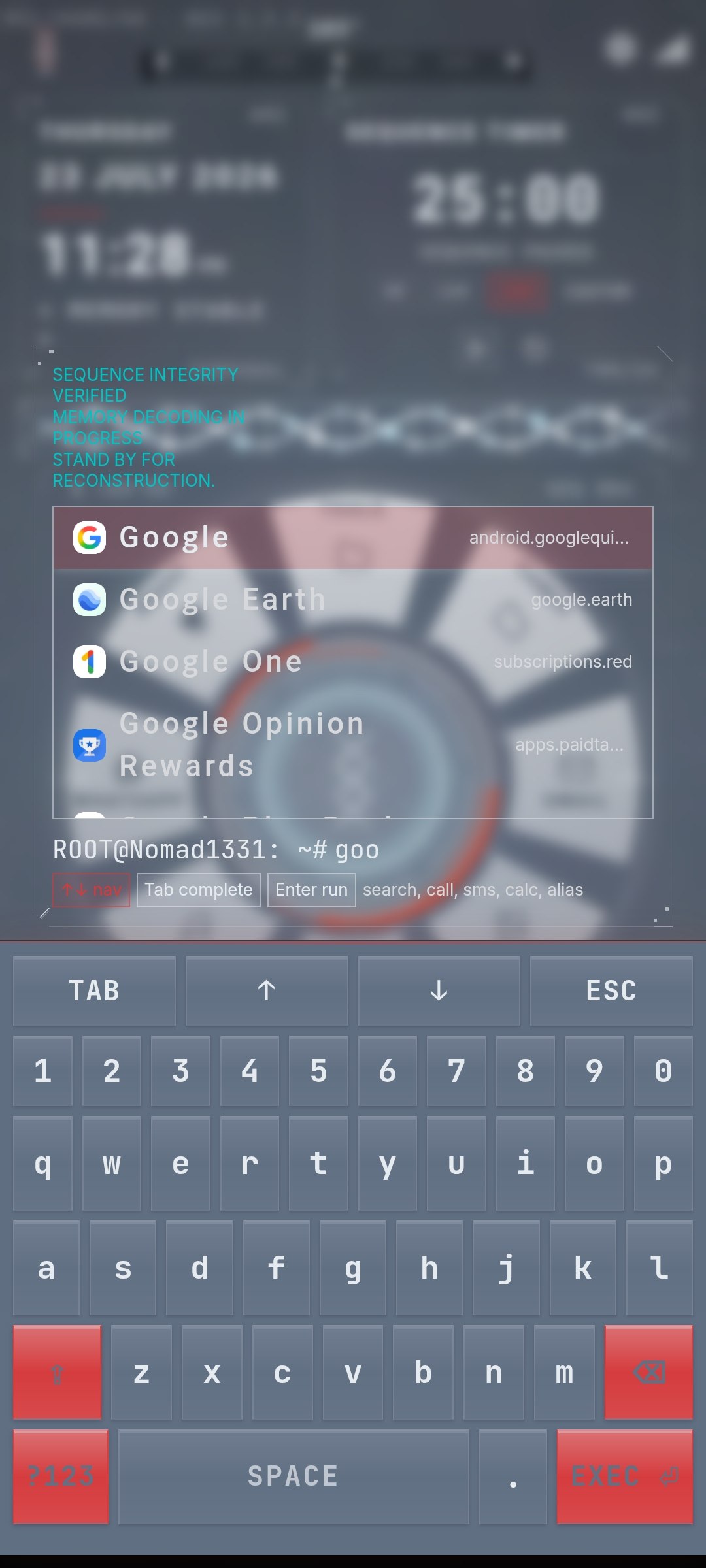
The terminal CLI console at the base of the home screen is an indexing utility. Typing into it brings up the custom virtual keyboard:
Fuzzy Search: Entering queries filters system applications instantly. Press EXEC to launch the selected item.
Command Inputs: Input diagnostic instructions (e.g. theme clinicalwhite) directly into the log.
Terminal CLI & Keyboard
Virtual CyberKeyboard & Command CLI Interface
// SECTION 04
Console Command Reference
Execute the following commands in the Terminal CLI console to access restricted pages, swap colors, or reload layout configurations:
Command
Description
help or ?
Print helper lists and Animus syntax guides.
apps or list
Open the master list drawer.
settings or config
Toggle the settings dashboard.
theme [preset]
Apply a preset color theme (e.g. theme biohazard).
pinset [pin]
Configure secure vault credentials (Access Word & optional PIN).
resetpin
Reset the secure vault credentials configuration.
hide [app]
Hide a specific application from search lists.
fav or favorites
Open the favorites configuration menu.
clear or cls
Clear scrolling log histories.
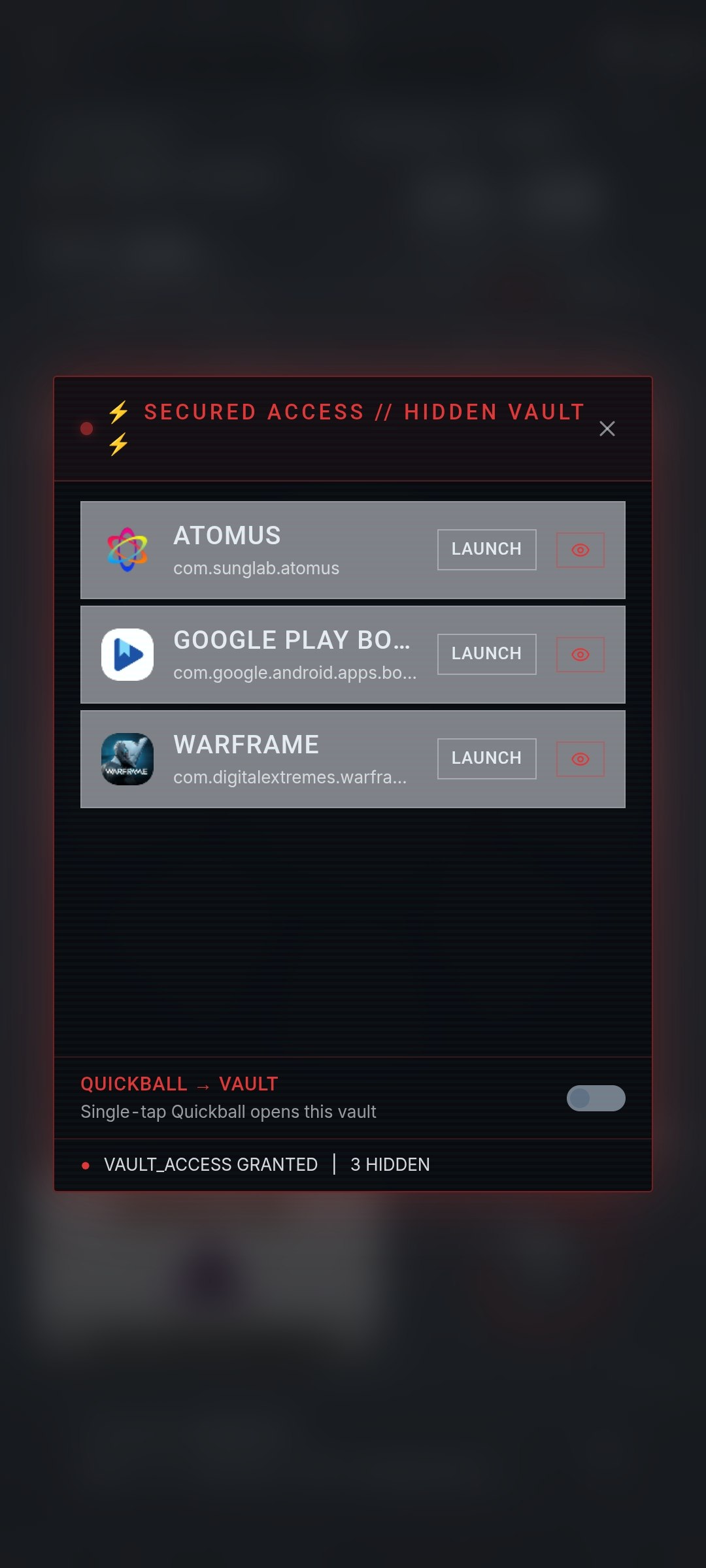
ANIMUS VAULT COMMAND: To unlock the vault, enter your custom Access Word (followed by space and PIN, if set) directly in the console.
// SECTION 05
Hidden Vault System
The vault lets you hide sensitive apps from search results and the app drawer. Hidden apps can only be accessed through the vault, protected by a secret word and optional PIN.
Setting Up the Vault
Type pinset (no PIN) or pinset 1234 (with PIN) in the terminal
Enter your secret access word when prompted
The vault is now configured
Hiding Apps
ROOT@User: ~# hide telegram // ⚡ Telegram HIDDEN ⚡ // Access via your secret vault command
Accessing Hidden Apps
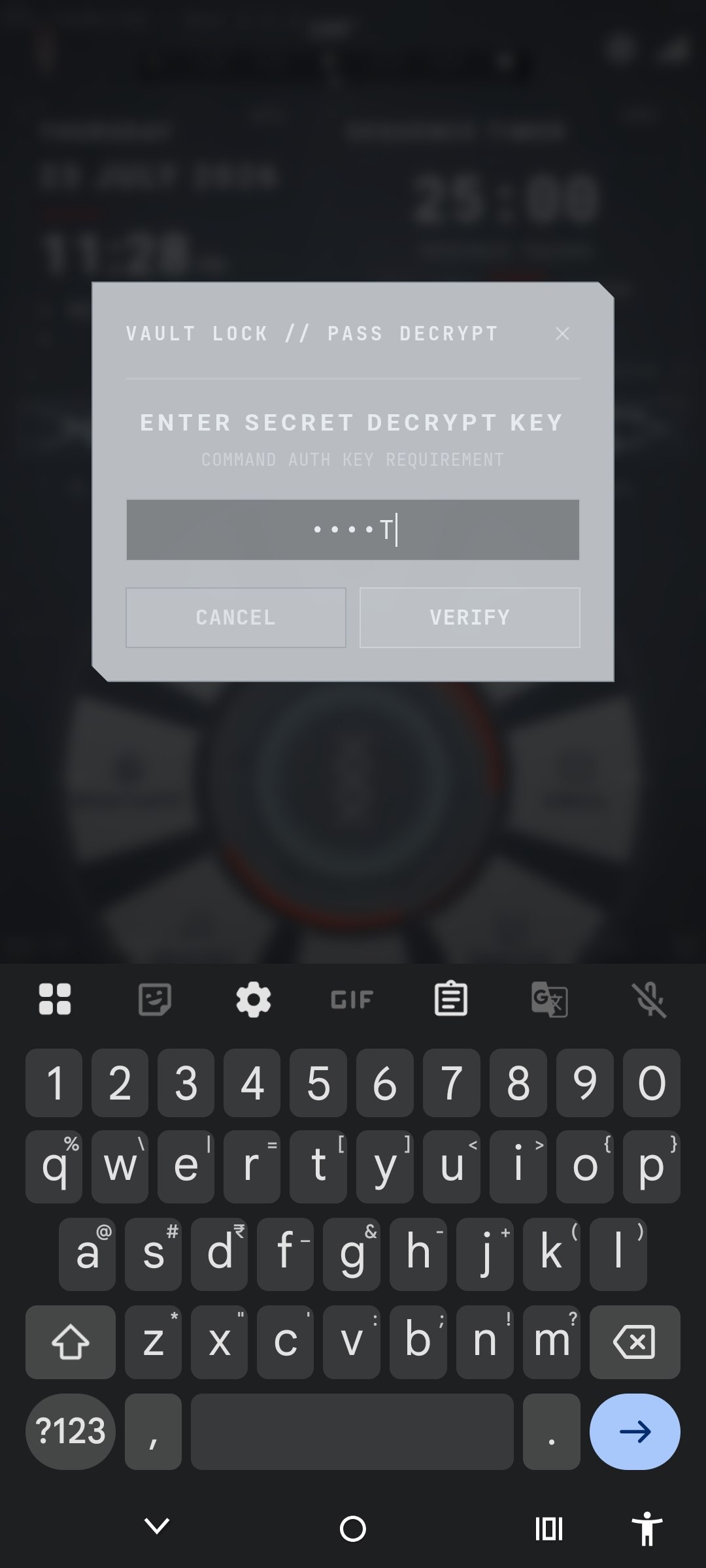
Type your secret access word in the terminal
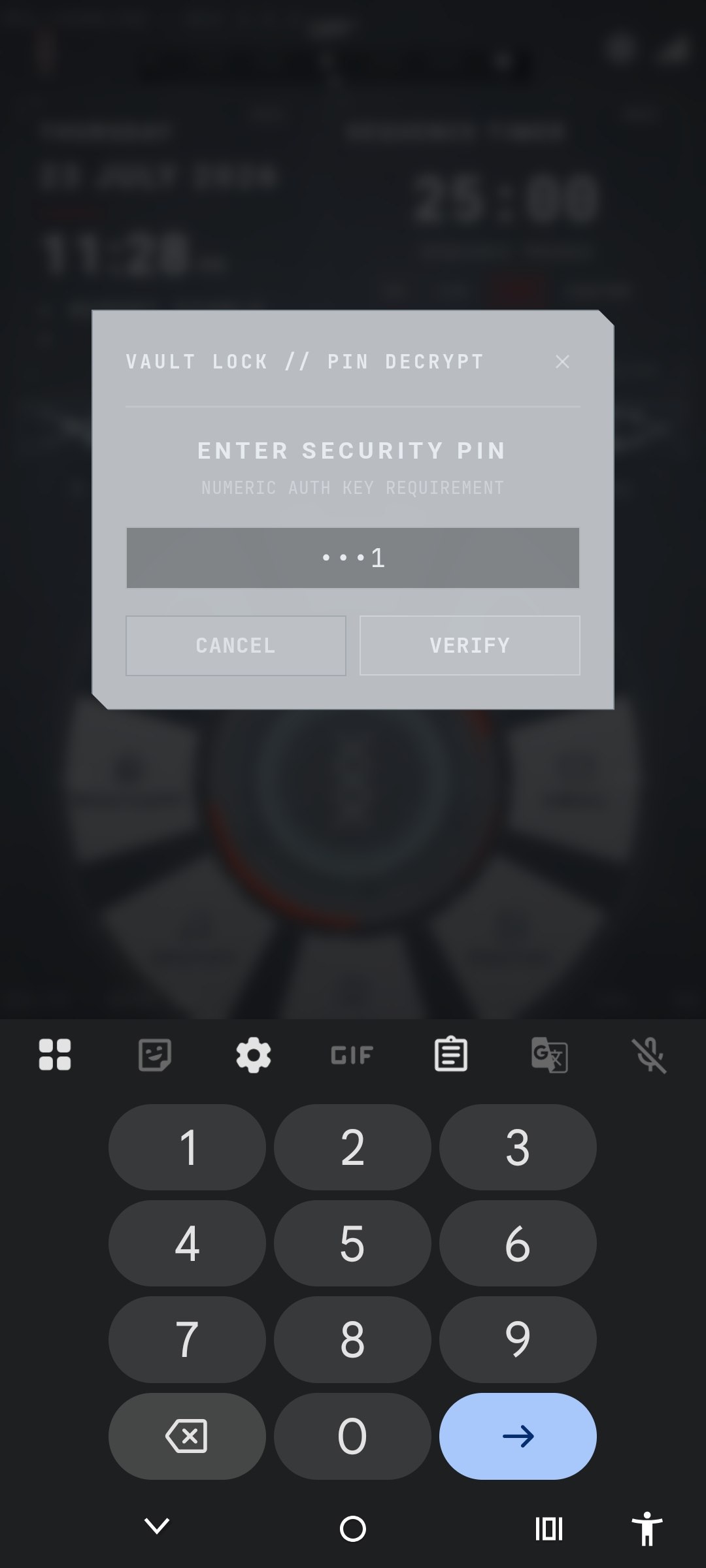
If a PIN is configured, enter it when prompted
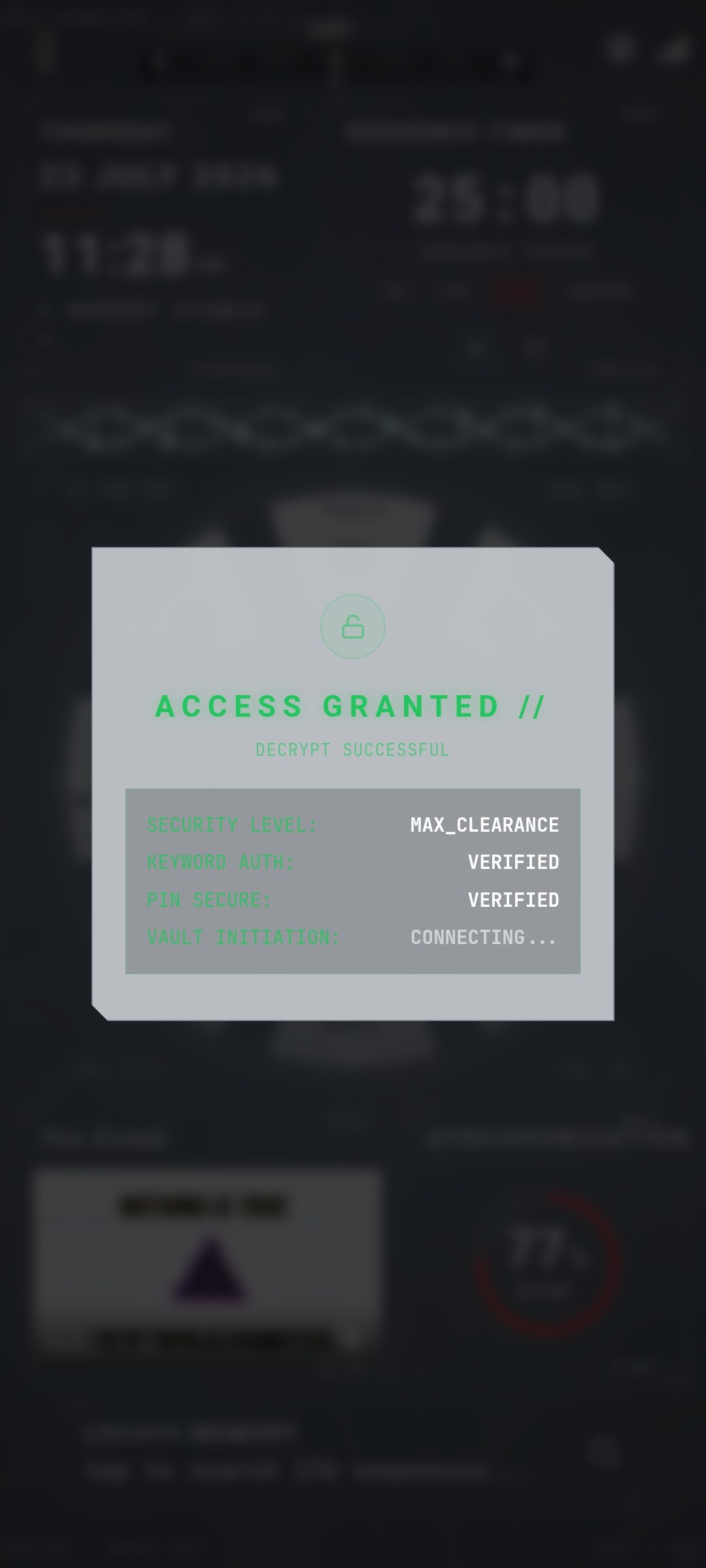
The vault opens showing all hidden apps — tap any to launch
Vault Security Commands
COMMAND
DESCRIPTION
pinset [pin]
Configure vault security with optional PIN
resetpin
Reset vault security (requires verification)
hide <app>
Hide an app in the vault
⚠ SECURITY NOTE
The access word is case-sensitive. If you forget it and your PIN, use resetpin — but you'll need to verify your current credentials first. As a last resort, clearing app data will reset everything.
Vault Authentication Flow & Layout
Step 1: Access Word
Secret Access Word Authentication Prompt
Step 2: Numeric PIN
Secondary Security PIN Pad Entry
Step 3: Access Granted
Authentication Verified & Vault Decoded
Encrypted Hidden Applications Vault Interface
Encrypted Hidden Applications Vault Interface
// SECTION 06
Preset Color Themes
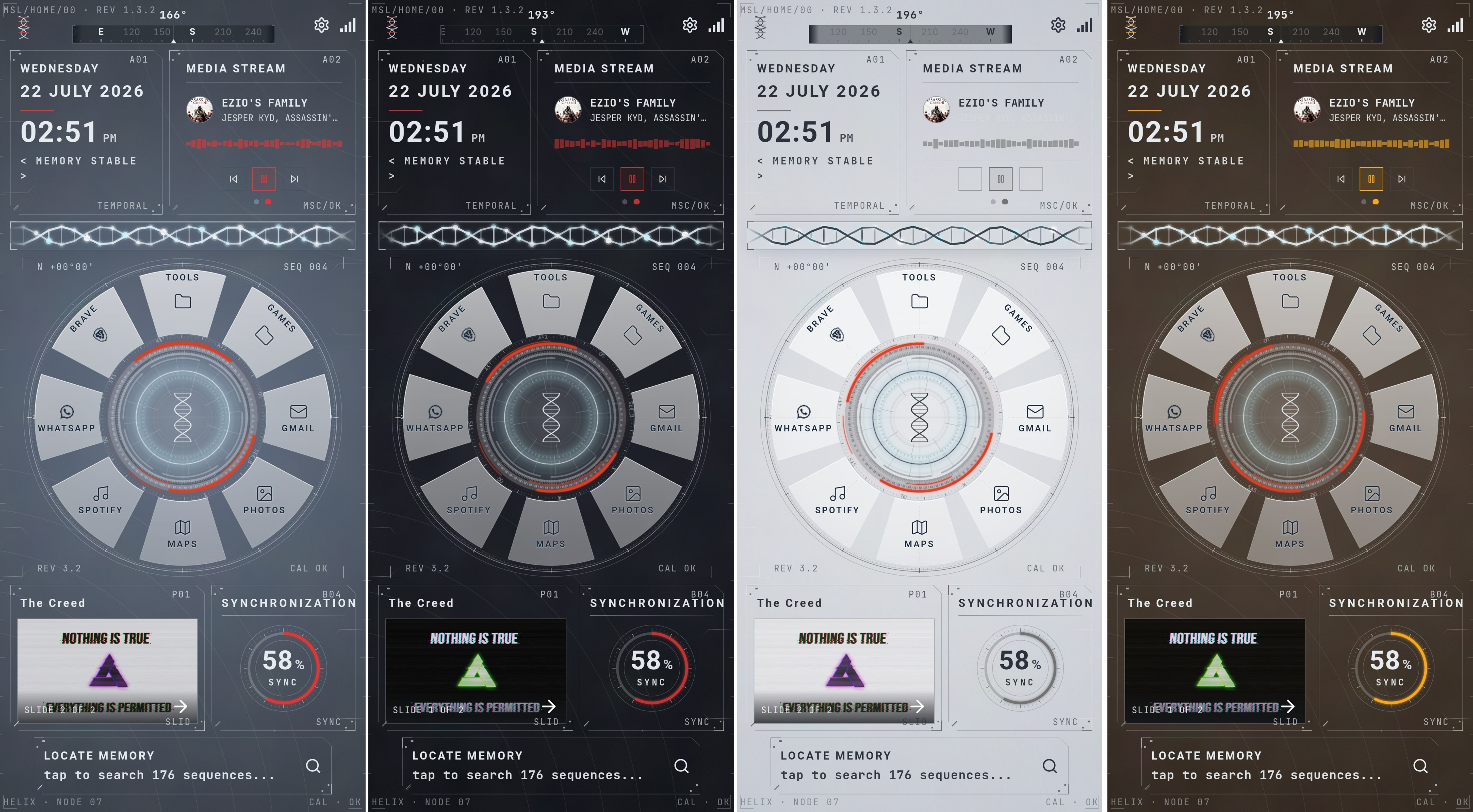
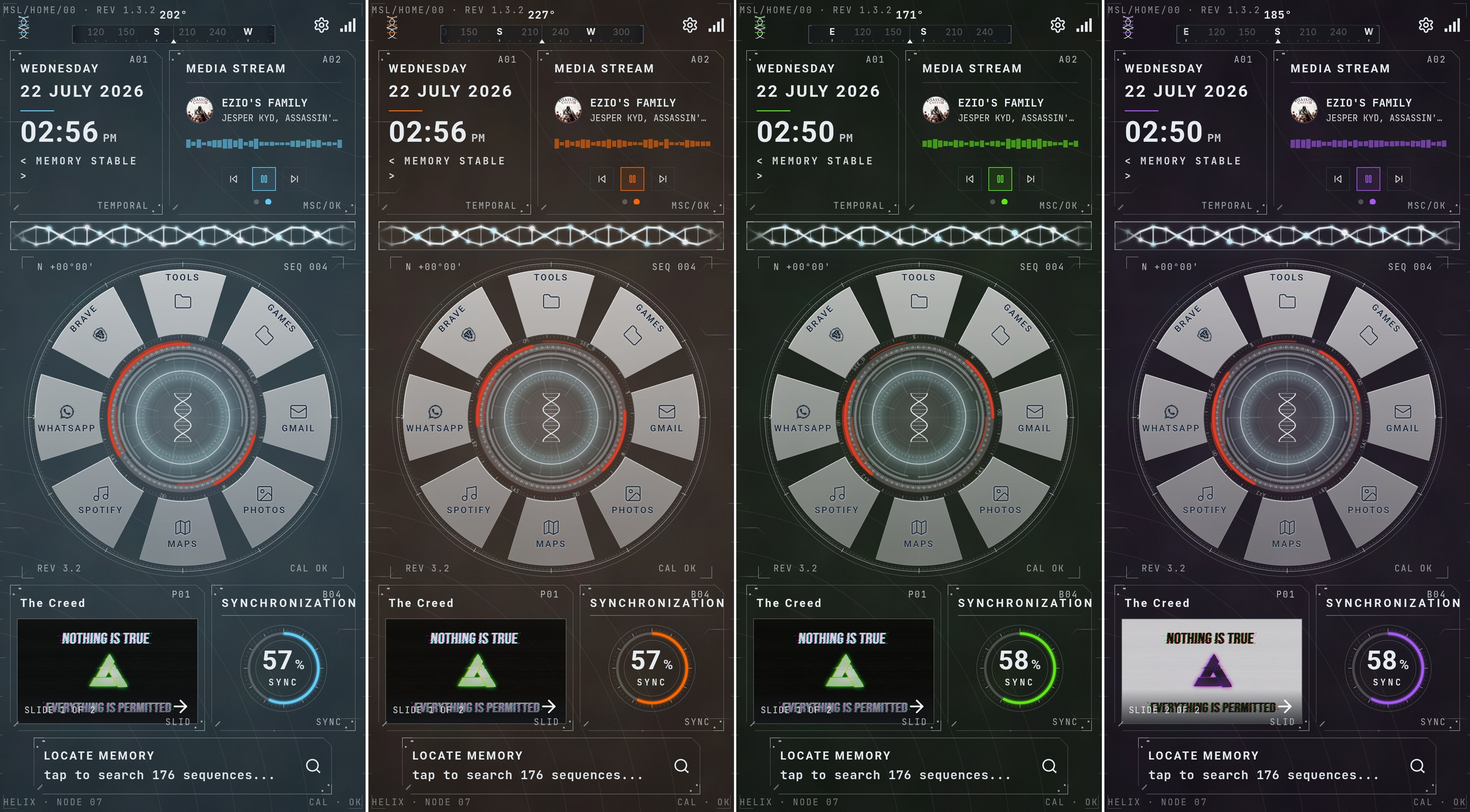
The manual highlights the default color schemes packaged inside the launcher settings. Each maps unique HSL colors to Animus HUD controls:
Memory Sequence
Deep Archive
Clinical White
Amber Signal
Cold Storage
Solar Flare
Bio-Hazard
Cortex Violet
Preset Color Themes 1 – 4 (Memory Sequence, Deep Archive, Clinical White, Amber Signal)
Preset Color Themes 5 – 8 (Cold Storage, Solar Flare, Bio-Hazard, Cortex Violet)
CLINICAL WHITE MODE DYNAMIC CONTRAST
When light or white presets are applied, the launcher engine automatically adjusts UI elements (settings gears, tilt levels, lock screens) to dark slate colors to maintain contrast.
// SECTION 07
Power User Tips
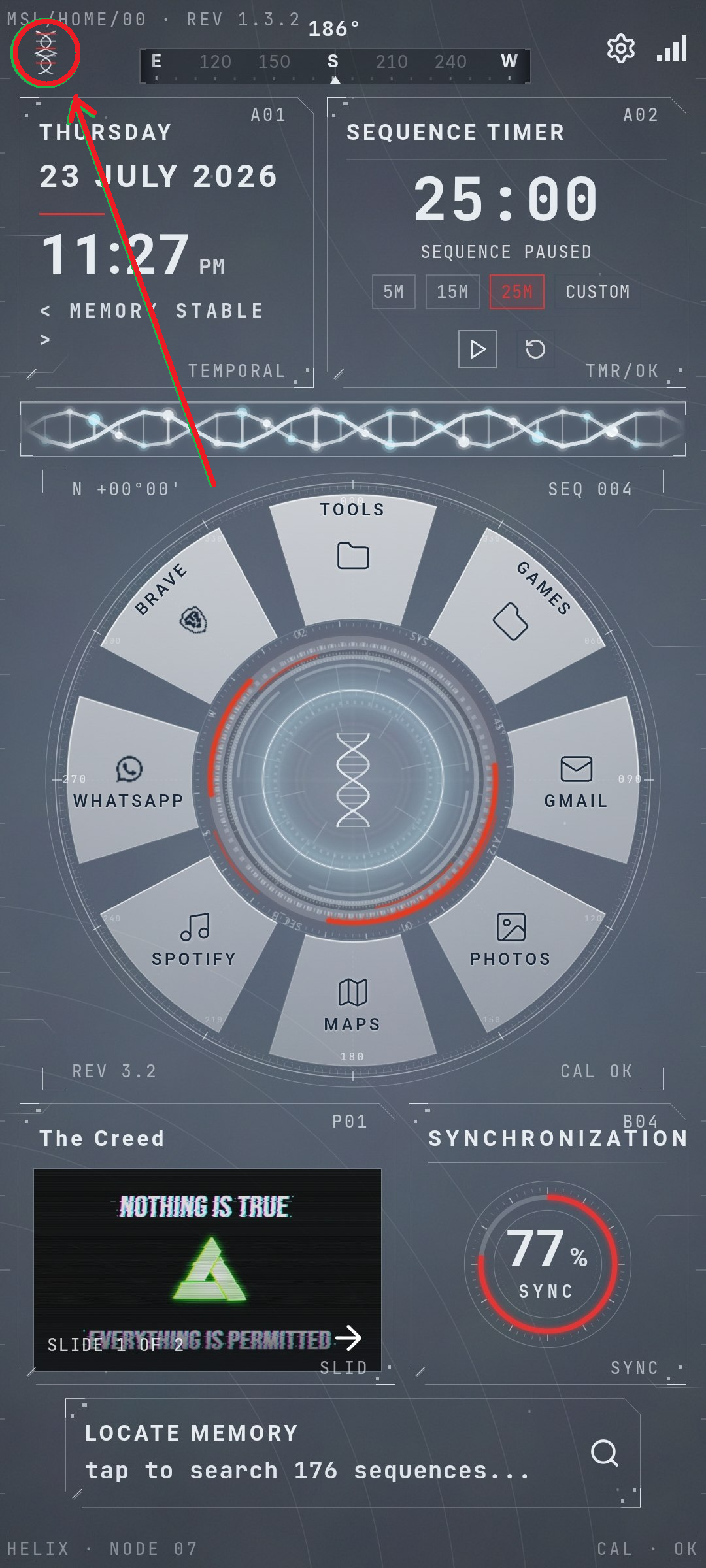
Hot Refresh: Click the DNA loader helix in the topbar HUD to trigger layout reflows instantly.
Video Wallpapers: Choose video loops inside Settings -> General.
Folder Clusters: Set slots on the dial to act as folders. Tapping replaces slots with up to 7 secondary apps.
// SECTION 08
Troubleshooting
Hard Refresh — Fixes Most Issues
Tap the DNA loader helix in the topbar (right side of the topbar HUD). This reloads everything and fixes:
Theme/colors not loading properly
Wallpaper not being applied
Apps not showing in search results
Favourite/hidden icons not toggling
Shortcuts not responding to taps
Common Issues
ISSUE
DESCRIPTION / FIX
Compass wrong
Calibrate by waving your phone in a figure-8 pattern
Apps missing
Check if they're hidden (Settings → Apps) or hard refresh
Wallpaper blank
Re-upload from Settings → Wallpaper or use "None"
Keyboard missing
Enable in Settings → Keyboard tab
Vault locked out
Type resetpin — verify credentials to reset
⚠ NUCLEAR OPTION
If nothing works, clear the app's data from Android Settings → Apps → Memory Sequence → Storage → Clear Data. This resets everything to defaults.
Hard Refresh Button
Android System Settings → Apps → Memory Sequence → Clear Data
// SECTION 09
Security & Lock Screen
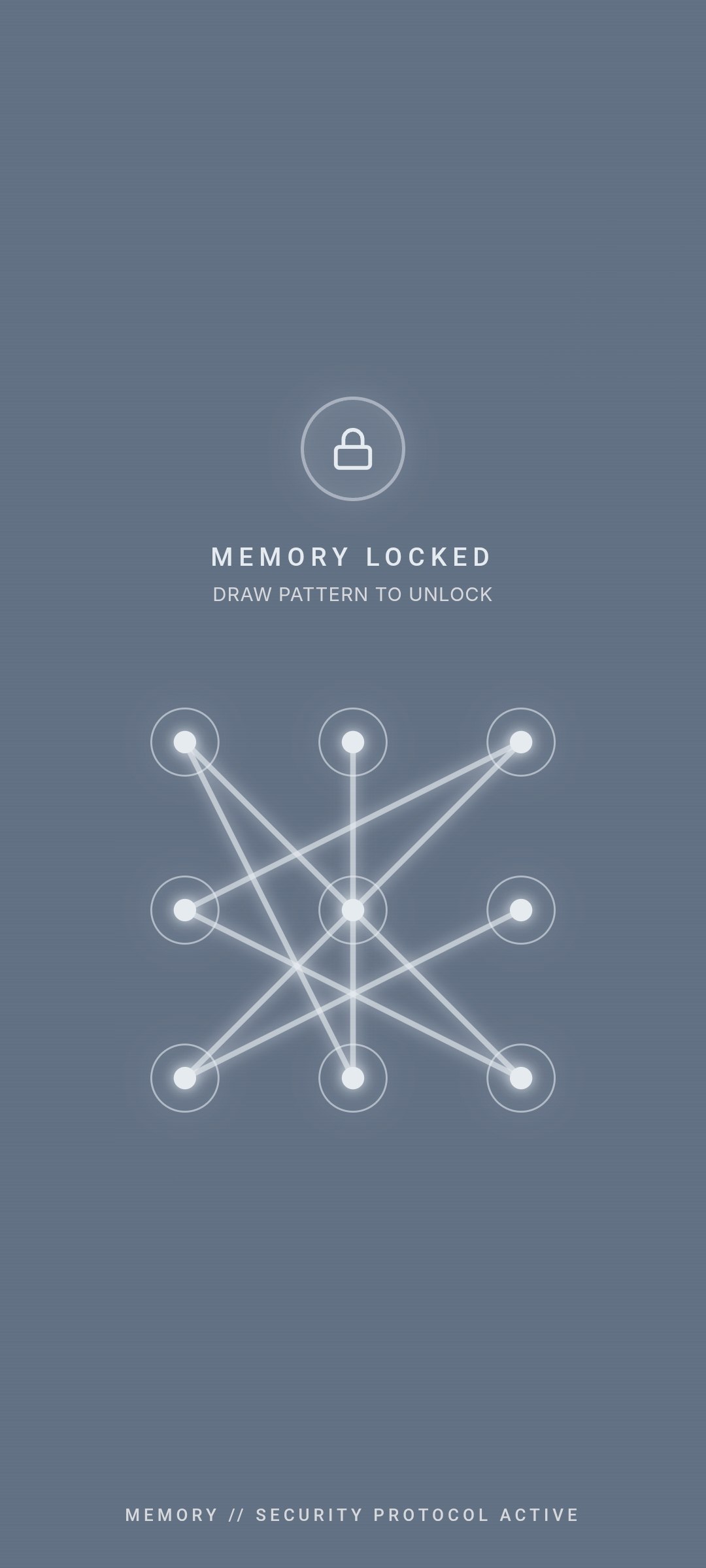
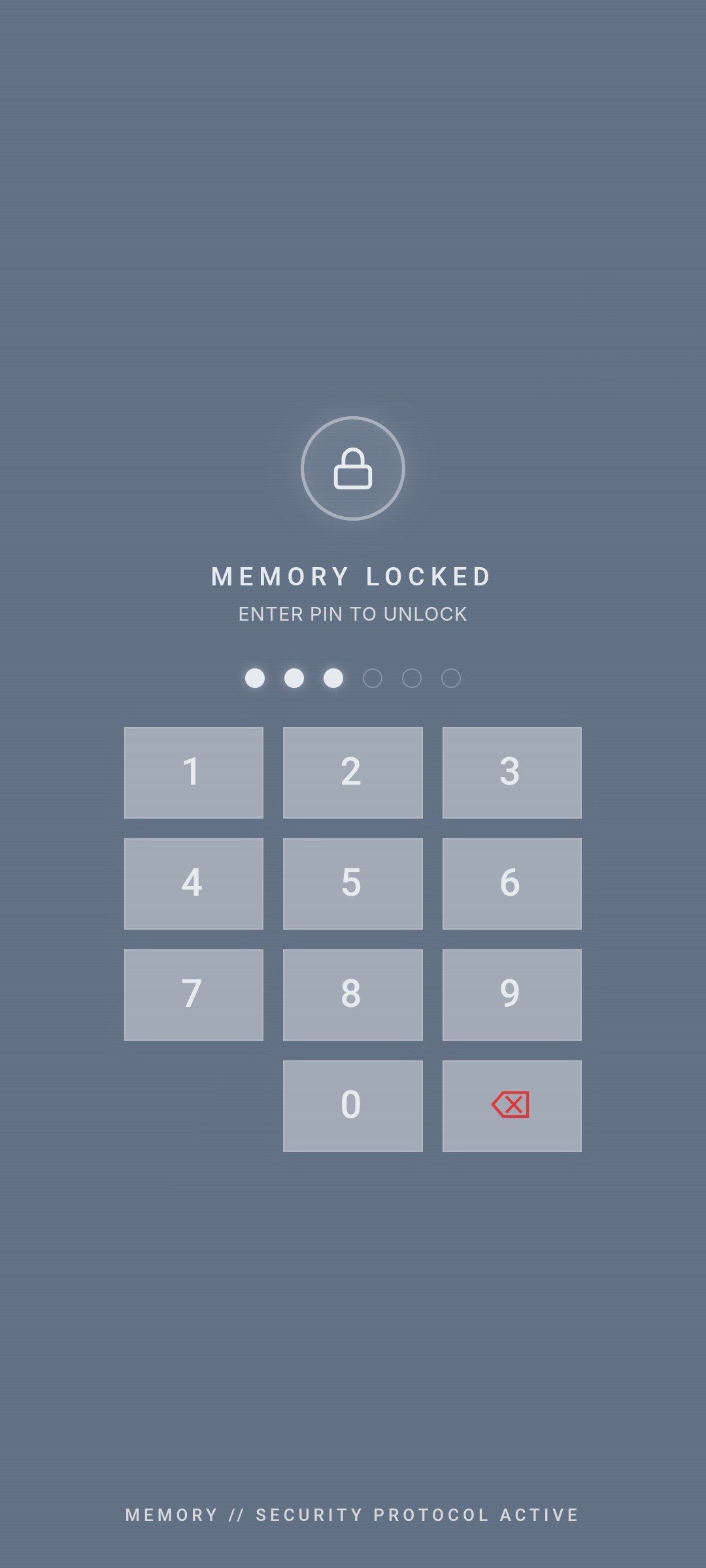
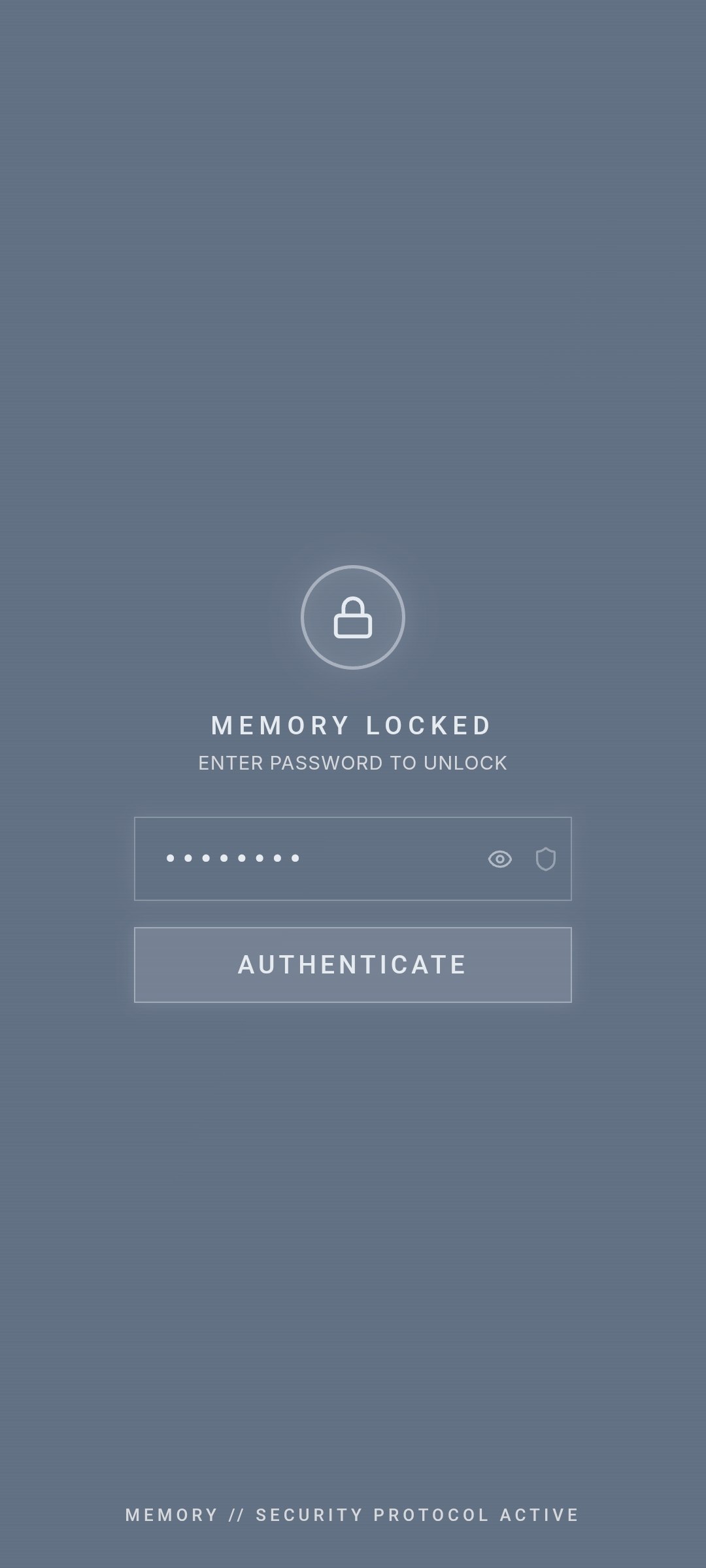
Memory Sequence supports three authentication methods for protecting your launcher and hidden vault. Configure your preferred method in Settings → Security.
Pattern Lock
Security — Pattern Grid Lock
PIN Code
Security — Numeric Keypad PIN
Password
Security — Alphanumeric Password
// SECTION 10
Supported Devices
Android 8.0+ (API 26 and above)
Works on all screen sizes from 720×1280 to 1440×3040+
Responsive layout automatically adapts to screen height
Small phones show scrollable menus; tall phones expand naturally
// SECTION 11
Privacy Policy
Last updated: July 2026 • Developer: Nomad Labs
Information We Collect
Memory Sequence Launcher does not collect, store, or transmit any personal information to external servers.
On-Device Data Access
The app accesses the following data locally on your device only:
Installed applications — To display and launch apps (core launcher functionality)
Contacts — To enable calling and messaging contacts by name from terminal (only when using call/sms commands)
Notifications — To display notification indicators on launcher buttons
Device sensors — Compass heading, battery level, network status — displayed in HUD UI
IMPORTANT
None of this data leaves your device. All processing happens locally and offline.
Network Communications
Play Store version: The app makes no network requests. All functionality is offline.
Sideloaded version: A one-time license key verification request is sent to our server. Only the license key (a random hex string) is transmitted — no personal information, device identifiers, or usage data.
Data Storage
All user preferences (theme colors, shortcuts, settings) are stored locally on your device using standard Android storage. No cloud sync or backup to external servers.
Third-Party Services
Memory Sequence Launcher does not integrate any:
Analytics or tracking SDKs
Advertising networks
Crash reporting services
Social media SDKs
Children's Privacy
Memory Sequence Launcher is not directed at children under 13 and does not knowingly collect data from children.
Changes to This Policy
We may update this privacy policy from time to time. Changes will be noted with an updated revision date.
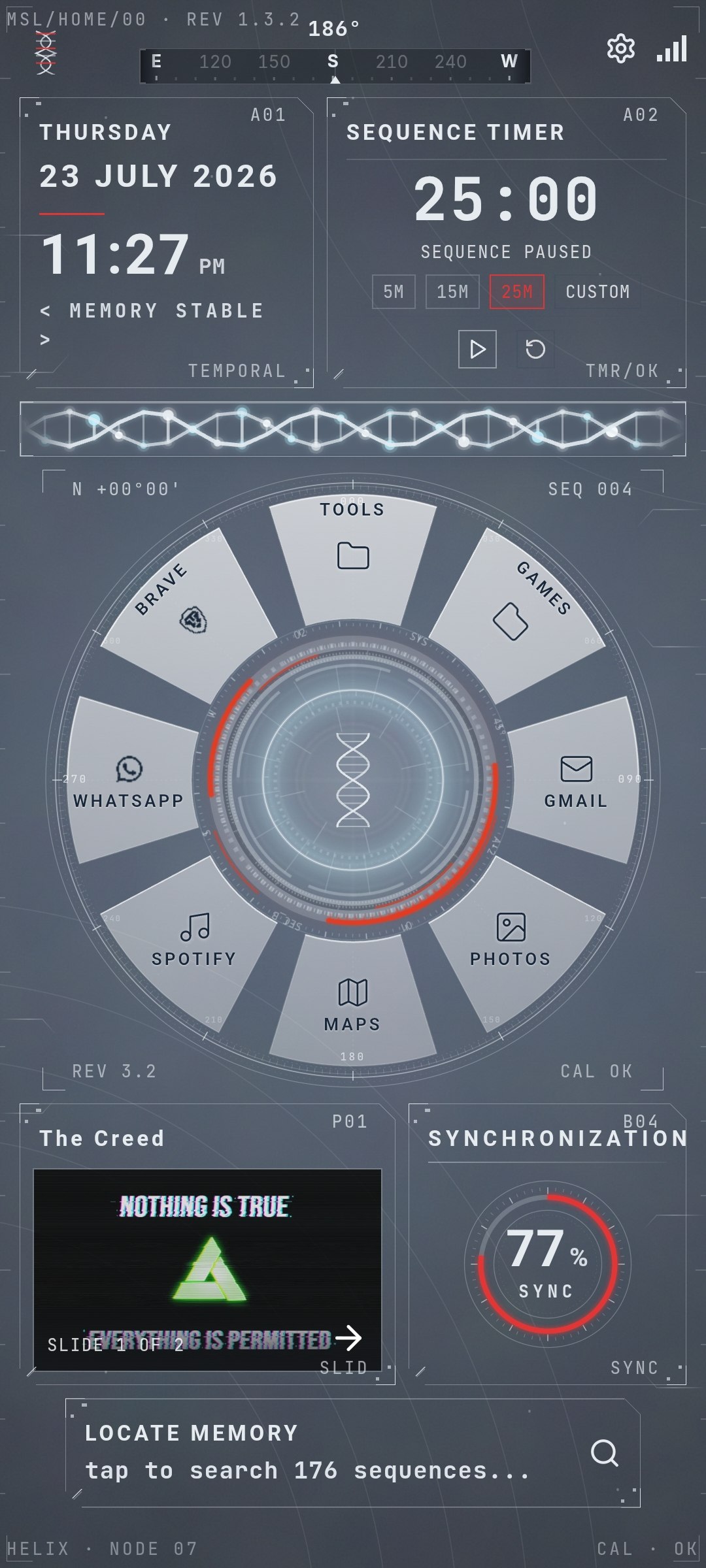 Launcher Home Screen with Radial Dial & Animus HUD Header